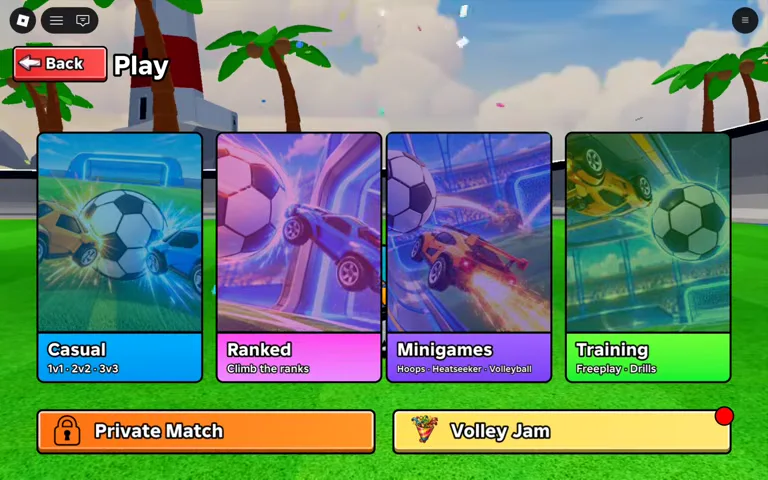
Sideswipe Soccer Match Modes
Open Play to find Casual, Ranked, Minigames and Training, along with a separate Private Match button. Casual offers 1v1, 2v2 and 3v3 queues.
Casual Queues and Freeplay Waiting
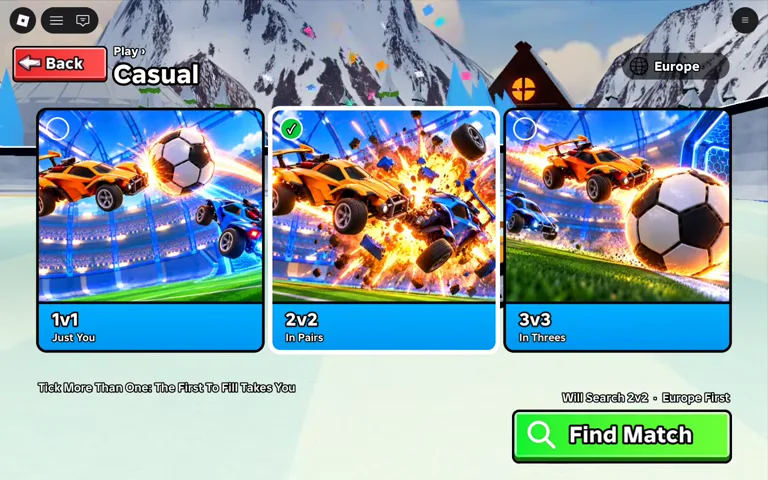
The Play menu shows four main tiles and a separate Private Match button. Casual has team size selections for 1v1, 2v2 and 3v3 beside Find Match.
In the recorded Casual 2v2 queue, the Searching dialog offered Freeplay and Cancel. The player practiced in an arena while waiting and later joined a live match.
- Select Play from the main lobby screen and choose Casual.
- Highlight your preferred team size from the 1v1, 2v2, or 3v3 buttons.
- Select Find Match to enter the matchmaking pool.
- Select Freeplay on the Searching prompt to warm up until the live match begins.
Ranked, Minigames, and Private Lobbies
NextFrame Productions confirms Ranked modes and competitive leaderboards in the official game description, which also refers to the experience under the Goal Rush wording. While 1v1, 2v2, and 3v3 filters are verified inside the Casual menu, public footage has not yet verified the exact queue requirements, rating formulas, or unlock conditions inside the Ranked menu.
The official listing also confirms three specialty minigames: Hoops, Heatseeker, and Volleyball. Exact rotation schedules and rule variations for those modes remain unverified in public captures. For players grouping with friends, the game supports parties and offers a Private Match tile on the Play menu, though specific custom lobby toggles inside that screen are not yet documented.